

AI Will Never Replace a CMO... but My AI does 80% of the Job
Steal my AI marketing system: 10 context files, 11 skill modules, 7 cron jobs, 8 database tables and 1 self-correcting loop

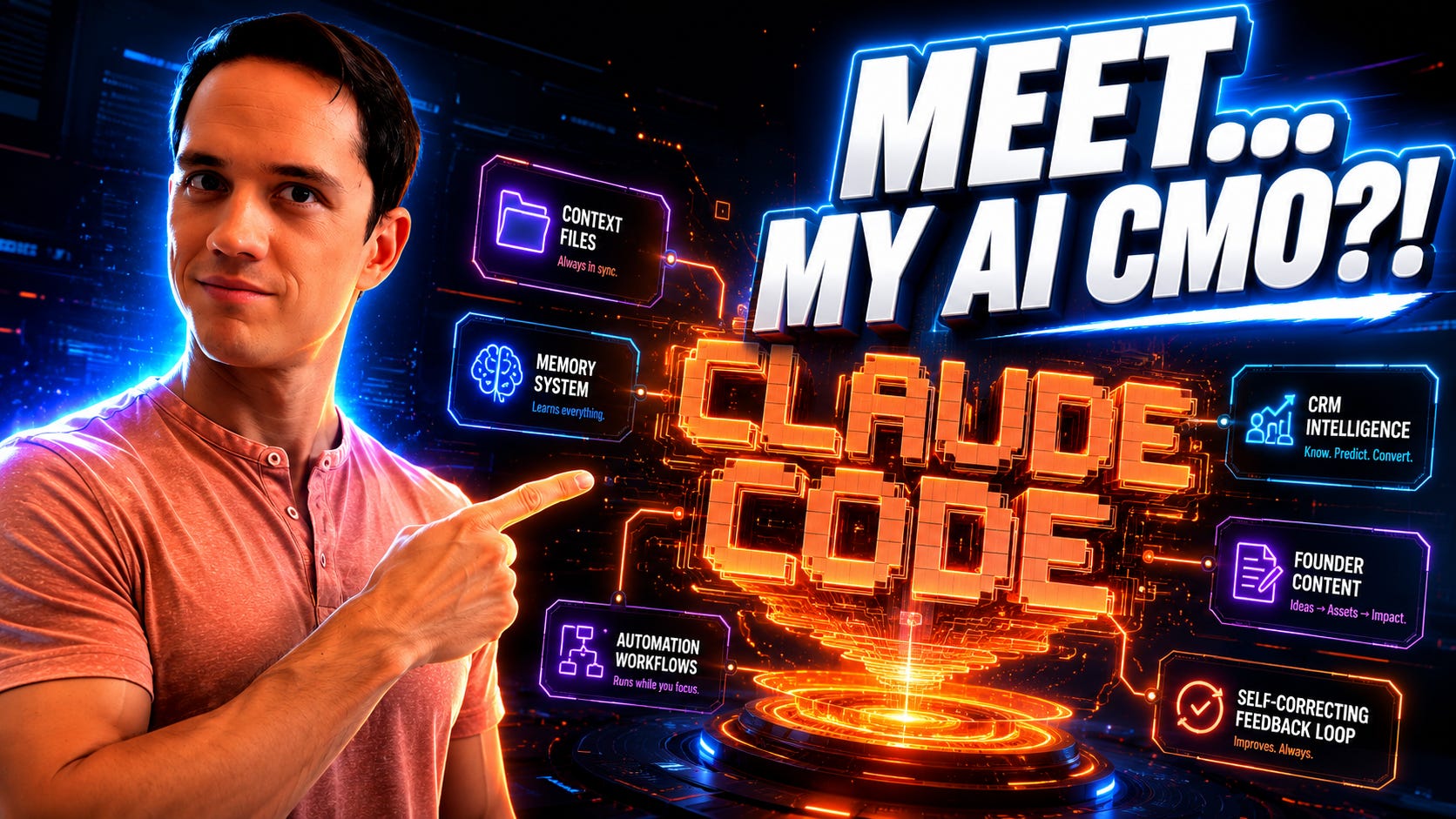
I built an AI CMO, but before you roll your eyes, it can’t do my job, and that’s the entire point. You cannot replace a marketing leader with a model. I believe that. I also spent two weeks building an AI CMO. Both are true, and the difference between them is one of the most useful things I’ve learned about AI this year.
There’s been a lot of talk about an AI CMO right now, and there’s also been a lot of people dunking on them. You’re not going to replace a marketing leader’s judgment, taste, or relationships with an LLM. You can’t replace the strategy calls, the founder discussions, the intuition on whether a message will land, and a lot of the soft skills in marketing.
But that was never the job worth automating.
The stuff draining me on my business and the work I do with clients is the other stuff. I’m talking about the things we do on a regular and routine basis, like synthesize the pipeline before the Monday call, prep the founder for the analyst meeting, draft the LinkedIn post in his/her voice, read transcripts from last week and pull the three things we need to enable the team on, etc. etc.
And that’s what I built. I think of it more as an AI marketing chief of staff to help me run marketing than as an AI CMO. It runs at 7am on weekdays, costs about $80 a month, and the whole thing is a folder of markdown files I am putting on GitHub.
Of course, downloading it yourself will be easy, but the more time you spend with it, the better it becomes and the more you can rely on it.
The Biggest Mistake People Make with AI Marketing Setups
I’ve watched a lot of marketers build AI in the same two ways, and both break for the same reason.
The first way is one giant context file. You paste everything you know about the company into a single document or a single Claude Project and point every conversation at it. Sure, it feels thorough, but it’s why your outputs drift. When the agent loads the same monolith to draft a tweet and to analyze pipeline, the irrelevant 90%+ dilutes the relevant 10%. Context that is always on is context that is never sharp.
The second way is when every conversation starts cold, from scratch. And I made this mistake in the beginning a LOT. I would re-explain the client, the buyer, the positioning, the voice rules, and the three things you are not allowed to say, every single time. Even if it only takes 5 minutes, you should have to re-explain. Five minutes a session, ten sessions a day, across a whole team. Run that math for a quarter – it adds up!
The answer sits between the two. Persistent context, but modular, loaded by the slice and per task. The structure I started from is Nathan Whittemore’s Personal Context Portfolio: ten markdown files, each one a different dimension of who you are and how you work. Identity. Role. Current projects. Team and relationships. Voice. Goals. Constraints. Any agent can read any subset. The pipeline skill loads the pipeline files. The content skill loads the voice files. Nothing loads everything.
What’s Inside the Repo
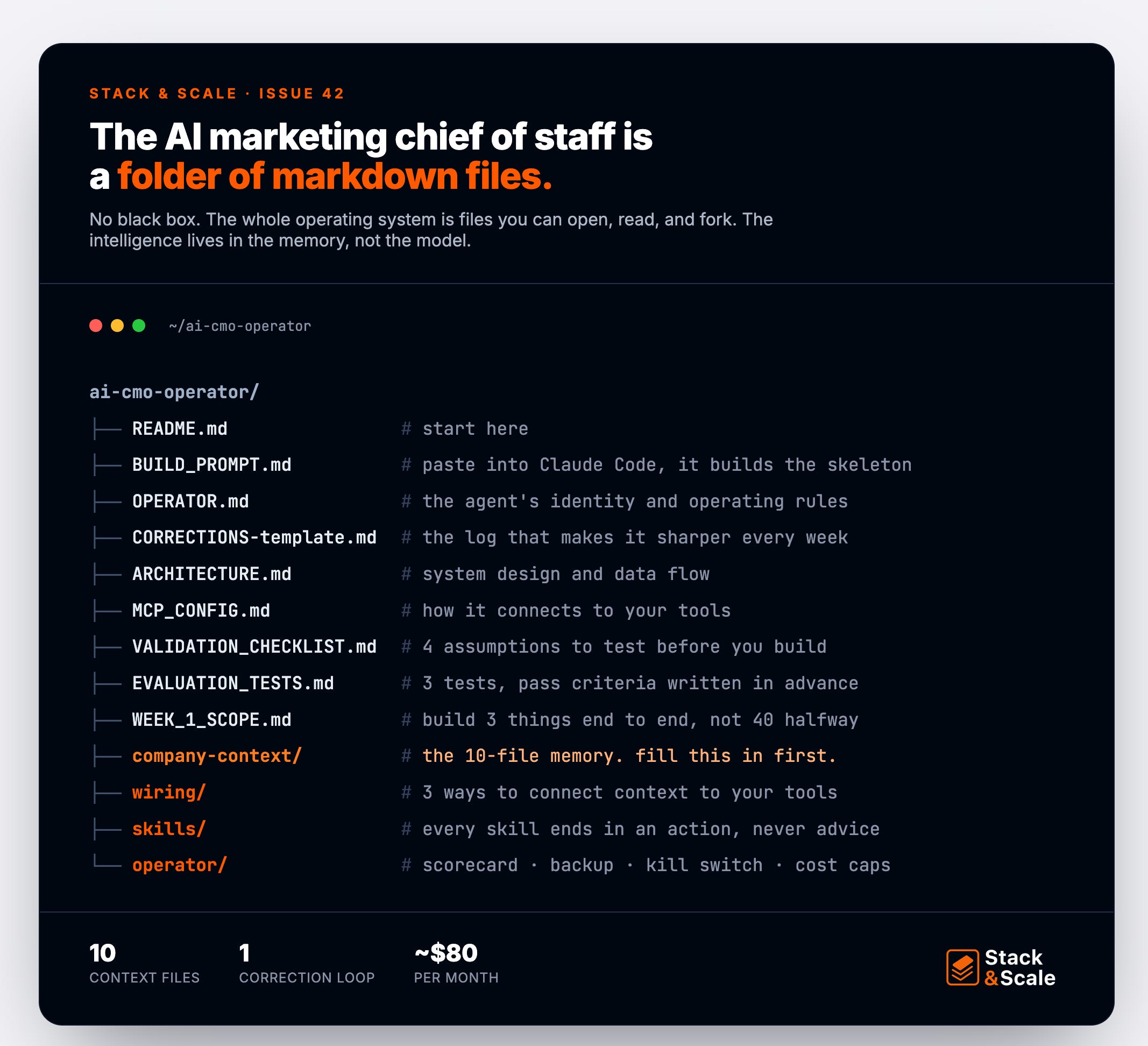
The repo is a folder of markdown files. Nothing to install to read it. The parts you would touch:
BUILD_PROMPT.md is one self-contained prompt you paste into Claude Code, and it sets up the whole skeleton for you.
company-context/ holds the ten context templates, empty and ready for your company: Identity, role, current projects, team, tools, voice, goals, constraints, domain knowledge, and a decision log.
skills/ holds a dozen skill specs, each one ending in an action and never in advice: daily brief, founder content draft, competitive digest, decision memo, the number-checker, the disclosure flag.
wiring/ gives you three ways to connect the context files to your tools, from a full MCP setup down to a simple Claude Project, so you can pick by how technical you want to get.
operator/ covers the unglamorous things that matter once it is live, like the scorecard, the backup, the kill switch, the cost controls, etc.
Three planning files I would not skip: VALIDATION_CHECKLIST.md (the four assumptions to test before building), EVALUATION_TESTS.md (pass criteria written in advance), and WEEK_1_SCOPE.md (so you build three things end to end instead of forty halfway).
What I Stole, and From Whom
Now, I’ll be honest – most of the ideas here are not mine, but I’ve configured them all in a unique way and so that the entire system runs using some of my favorite pieces from some of my favorite creators.
Nathan Whittemore’s Personal Context Portfolio: I used this mainly for system memory. This is where I got the ten modular context files that let the system understand the account and how I make decisions, without reloading everything every time.
SaaStr’s 10K (Amelia Lerutte and Jason Lemkin): I used this for the core architecture. This is where I got the principle that the app and the agent are one system, so a feature can graduate from a chat request to a permanent button once it proves itself.
Sabrina Ramonov: I used some of her ideas this for the operating system. This is where I got the two-layer memory (a fixed playbook plus a running corrections log that makes the system sharper every week) and the rule that an agent should act and leave a file behind.
Nate Herk: I used this for structure. This is where I got the router-plus-specialists pattern and the habit of matching the model tier to the size of the job, so I am not paying Opus rates to sort a list.
Chase Hannegan: I used this for sequencing. This is where I got the build order (memory, then consistency, then access, then agents) that kept me from building the fun part before the foundation held.
Tiago Forte: I used this for the framing. This is the foundation for the real personal context management, which turns out to fit a company as well as a person.
What It Does Day to Day
The system runs in two modes. Most of it happens on a schedule, with no human in the loop. The rest happens when I sit down with the agent and ask for something specific. Either way, it ends in a file, not a chat.
Every weekday morning (autonomous)
Sends me a tactical brief at 7am with three to five specific moves for the day, each grounded in real pipeline numbers from the CRM, scoped to under two hours, and tied to either pipeline or the category narrative.
Diagnoses which of the four Ps (Persona, Problem, Promise, Product) is the binding constraint that day before it generates a single idea.
Surfaces what is queued for founder approval, what drafts are ready for review, days to the next event, and fundraise-readiness signals.
Posts a short summary to a Slack channel with the headline pipeline number and the day-over-day change.
Captures my reply to that email as a correction, so tomorrow’s brief reflects the feedback. This is a big part of the compounding loop.
Every week (autonomous)
Drafts founder social posts in each person’s actual voice, source-grounded from their own podcast transcripts and meeting logs, queued for a standing review slot.
Ships a Friday competitive digest with a few net-new competitor moves plus status-quo signals from prospect calls, each with a positioning implication for the platform narrative.
Runs a weekend marketing-health assessment across five domains (PMF signals, positioning, ICP quality, GTM motion, marketing ops), scores each one to five, and flags only what moved enough to matter.
Rolls up event pipeline, follow-up SLAs, and who needs a touch this week.
Every night (autonomous)
Pulls every new meeting transcript (founder calls, my calls, anything recorded that day).
Extracts action items with named owners, decisions made, and pipeline signals.
Dedupes against the tasks already in my system and creates the net-new ones.
Flags anything that touches a disclosure-sensitive relationship for review.
Captures status-quo objections from prospect calls (the “we have an internal POC” defense, the “let’s pilot another quarter” delay) into a competitive intel table.
What it blocks (automatic, on every output)
Any number that does not match the locked source of truth (ARR, customer count, deal sizes, accuracy claims).
Any draft that breaks the writing style guide or names a competitor in external copy.
Any draft where the founder voice fingerprint is wrong (one founder’s draft reading like the other’s).
Any draft that positions the wrong buyer or lists more than the approved number of differentiators.
Any late-stage tactic recommended at an early-stage company (no scaled paid, no SDR team, no ABM at scale at PMF Level 1 to 2).
Itself, if monthly spend crosses a hard cap.
On demand (you ask, it produces a file)
A bundled decision memo for a founder who has let calls stack up.
A tiered executive outreach list for an event, scored against a ten-point ICP rubric.
A pipeline funnel diagnostic naming the bottlenecked stage and three experiments to fix it.
A quarterly positioning audit using April Dunford’s five-step method.
A battlecard for any named competitor, with discovery questions and objection responses.
A sales enablement suite (one-pager, demo script, email templates, stakeholder map) or a launch playbook with day-of sequencing.
What gets better over time
Every correction I give writes to the corrections log. The next day’s prompts load it. The system gets sharper.
Every transcript accumulates into a private record of how the company sells. Six months in, that is a proprietary GTM corpus.
Every one-off script I write stays runnable. The library grows. The next time I need that analysis, it takes three minutes instead of thirty.
The thirty-day labeling phase teaches the system what I approve versus rewrite. By day thirty, drafts hit roughly 80 percent of what I would have written myself.
What You Can Do With It
Here is the exact setup, step by step so you can get running with your chief of staff today.
Clone the repo and open the folder in Claude Code (or Cursor, or Replit Agent). Everything below happens from inside that folder.
Fill in the ten context files first. Open company-context/ and write your company into each template: identity, role, current projects, team, tools, voice, goals, constraints, domain knowledge, decision log. Do this before anything else, because every skill downstream reads these files, and a thin context file produces thin output. Budget an afternoon. This is the actual work.
Run the validation checklist. Open VALIDATION_CHECKLIST.md and answer its four questions for your own stack and team: can you pull CRM data on a schedule, can you reach your meeting transcripts, can you send mail from your domain, do you have the API keys. If any answer is no, change the wiring before you build, not after. Twenty minutes here saved me a rebuild.
Paste the build prompt into Claude Code. Open BUILD_PROMPT.md, copy everything below the divider, paste it into a fresh Claude Code session at the repo root, and tell it to build this. The prompt is self-contained: it carries the stack, the architecture, the staged build order, and pointers to every other file. It scaffolds the project for you.
Ship Week 1 only. Build two things end-to-end and stop: the daily brief and the corrections loop. The brief proves your context files are good. The corrections loop is what makes the system compound. Wire the backup, the kill switch, and the cost cap before the first scheduled job fires, then let it run a couple of weeks before you add a single skill.
Grade it at thirty days. Open EVALUATION_TESTS.md and run the three tests you wrote in advance: a blind voice test, a number-accuracy backtest, and a decision-speed baseline. If they pass, add the next skills. If they fail, fix the context and the corrections, not the model.
Time To Build
Don’t build an AI CMO. You will spend six months trying to model judgment that does not fit in a prompt, and you will end up with a confident intern who has never met your customers. Build the chief of staff instead. Ten context files, one corrections loop, a few guards, and a schedule. The intelligence was never in the agent. It lives in the knowledge base the agent reads every morning, and that part you can start building today.
The repo is public at https://github.com/guerrilla2799/ai-cmo-operator. Fork it, add to it, maybe even break it, and send me what you build.
That’s it for this week!
– Brandon
80% of the job going to AI just relocates the CMO’s actual value to the 20% that’s judgment, taste, and knowing which metric is lying to you.
AI CMOs will never be able to replace taste and judgement. But you certainly can automate a lot as you point out!